


Try Hairstyles-AI Change Color
4.019.00 Reviews
App Specs
- Version
- 1.0.28
- Updated On
- License
- Free
- Downloads
- 500,000+
- Developer
- Bizo Mobile
- Categories
- Beauty
- Platform
- Android
Screenshots
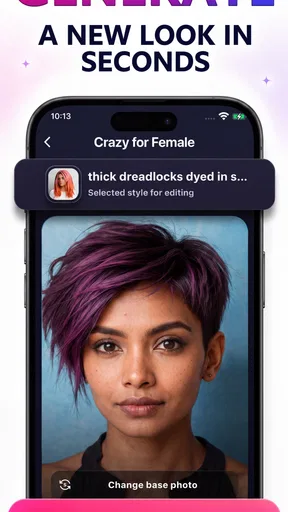
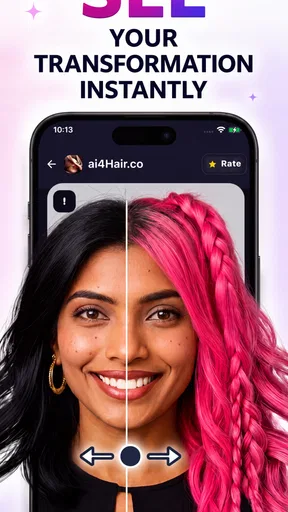
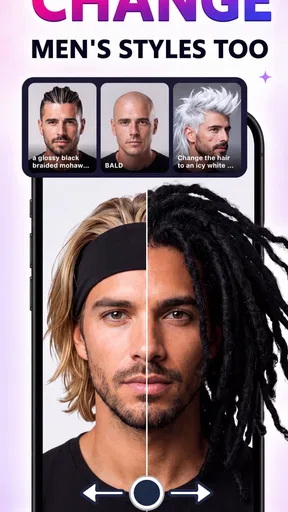
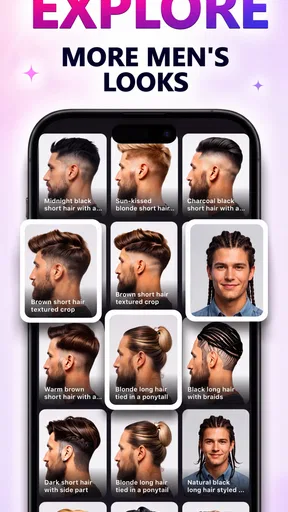
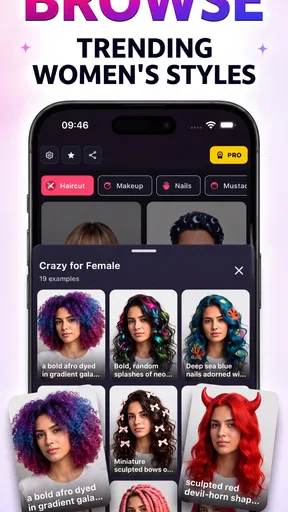
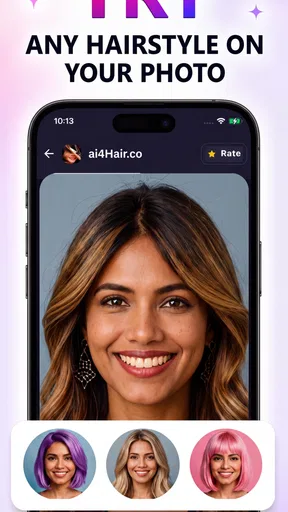
 Analysis by AppCompare
I find a virtual hairstyle tool most useful when I have a real decision to make, not just a spare minute to scroll through looks. Try Hairstyles-AI Change Color is a beauty app from Bizo Mobile that lets you explore possible cuts and shades using a selfie. Its appeal is easy to understand: you can test a change on screen before bringing an idea to a stylist, while keeping your current hair untouched. The key is to treat the result as a conversation starter rather than a promise of exactly how a salon appointment will turn out.
The first-week appeal: quick experiments, clearer ideas
During the first few sessions, the fun is in comparing possibilities that would be awkward to imagine from a verbal description alone. A bob, bangs, or a different color can feel like a major leap when you are deciding from reference photos. Here, I can look at a version of the idea on my own face and ask a more practical question: do I like the overall direction enough to discuss it with a hairdresser?
The selfie is the starting point, so I would choose one with my face clearly visible and a straightforward angle. That small bit of care matters: if the face is tilted, partly covered, or photographed in unhelpful lighting, it becomes harder to judge whether a preview feels convincing. I would also use a current photo rather than an old one. The goal is not to produce a perfect portrait; it is to make the comparison useful for the person who will actually wear the style.
The app is free to install, rated for Everyone, and has an average rating of 3.9 from around 3,400 ratings. It has passed 500,000 installs, which suggests that virtual hair try-ons have broad casual appeal. In my view, those figures are less important than whether the app helps you narrow your choices. A handful of considered comparisons can be more useful than trying every option in a sitting.
Transform Your Look with a Few Taps
I gave Try Hairstyles-AI Change Color a spin, and I must say, the ease of use is one of its standout features. The app is designed to be user-friendly, making it accessible even if you're not tech-savvy. You start by uploading a selfie, and the app does its magic by suggesting numerous hairstyles and colors tailored to your face shape.
The AI technology is quite impressive. It detects the contours of your face with precision, offering a natural look rather than a cut-and-paste job. This means you get a realistic preview of how you'd look with different hairstyles. Want to see yourself with bangs or perhaps a classic bob? It’s all possible with just a few taps.
A World of Colors at Your Fingertips
One of the app's coolest features is the ability to experiment with hair colors. Whether you're considering a subtle change or a bold new shade, the app offers a spectrum of colors to choose from. The color change feature is surprisingly accurate, showing how various shades complement your skin tone.
Worth Reading Before You Choose

Flipboard Shows What News Apps Must Do Beyond the Feed

Switching to Android Auto Means Rethinking Your Driving Routine

Google Calendar Makes a Crowded Week Easier to Manage

Ludo King Makes the Most of the Minutes Between Plans

Baby Panda World Brings Quick Play to Modern Phones, but Its Game Library Feels Busy

ESPN’s Live Game View Makes Following Close Games Easier
And it’s not just about drastic changes. You can try highlights, ombre effects, or even see how you'd look with pastel shades. The best part? You can save these looks and take them to your stylist for a real-life transformation.
Making a saved preview useful at the salon
Saving a look is most valuable when you add context to it. I would keep only a small set of finalists and note what I like about each: the length, the fringe, the warmth of the shade, or how much contrast it creates. That way, a stylist can respond to the part you actually want rather than treating one generated image as a complete instruction. A preview cannot settle practical questions such as how a cut will sit with your hair texture, how much styling it needs, or what upkeep a color will require.
This is also where the app differs from the usual alternatives. Searching image boards gives you polished examples on other people, while a salon consultation brings professional advice but may be harder to picture before the appointment. A selfie-based preview sits between those approaches: it makes an idea more personal, but it does not replace a stylist’s judgement. I would use it to choose a direction, then take clear references to a professional rather than asking for an exact digital copy.
Sharing and Saving Your Looks
The app also lets you save your favorite styles and share them with friends or social media. This is a great way to get opinions before committing to a new look. Plus, the app's library is frequently updated with the latest hairstyle trends, so you're always in the loop with what's hot.
Sharing your new look is as simple as a click. The app integrates well with social media platforms, allowing you to post directly from the app. This feature is not only fun but also useful for gathering feedback from friends.
A realistic routine for using it well
Imagine that I have a haircut booked and am torn between keeping my length and trying a shorter shape. The night before, I could use one well-lit selfie to compare a few options, save two or three that feel promising, and send those images to someone whose taste I trust. The next day, I would show the stylist the saved examples and explain which details matter. That turns a casual experiment into a focused consultation without pretending the phone can predict the exact result.
For color decisions, I would make comparisons in batches rather than jumping between unrelated shades. First decide whether I want a subtle shift or a noticeable change, then compare nearby options against the same photo. This makes it easier to see the difference between tones and reduces the risk of choosing a dramatic preview simply because it stands out on screen. It is a small workflow, but it helps the app answer a real question instead of becoming an endless filter session.
Month-to-month value and the cost of keeping it
The app is currently version 1.0.23 and supports Android 6.0 and later. It is free to download, with in-app purchases priced at $5.99 per item. That makes it easy to try without treating it as a long-term commitment, but I would check what an individual purchase unlocks before paying and decide whether I need that option for a specific experiment. The free starting point suits someone who wants to explore an upcoming cut; recurring use makes more sense for a person who regularly changes styles or enjoys visual experimentation.
As a habit, this is not an app I would expect to open every day. Hair decisions happen occasionally, and once I have chosen a direction, repeated previews may add little. Its lasting value is therefore practical and intermittent: it can help at the moment I am considering a change, then sit unused until the next one. That is not necessarily a flaw, but it does mean the novelty alone may not earn permanent space on every phone.
Maintenance burden and sources of fatigue
The main effort is not learning a complicated tool; it is making a fair comparison. A poor selfie can make several previews harder to assess, and trying too many styles at once can blur the decision rather than sharpen it. I would keep the photo, lighting, and viewing conditions consistent, save only the strongest candidates, and revisit them later with fresh eyes. If the options still appeal after a pause, they are more likely to reflect a genuine preference than a momentary reaction.
There is also a limit to how much confidence a visual mock-up should inspire. Lighting, hair texture, current length, and the work needed to reach a shade can all change the real outcome. A color that looks easy on screen may require a larger commitment in a salon, while a shape that suits the face in a preview may need daily styling. For a major cut or color correction, I would rather ask a professional what is realistic than rely on the app alone.
Another possible source of fatigue is the gap between browsing and deciding. With a stream of options, it is tempting to keep testing new looks instead of defining what I want. I get more from the app when I set a purpose first—such as deciding on fringe or comparing warm and cool tones—and stop once I have a few useful references. If I only want a guaranteed technical consultation or precise color planning, a salon conversation is the better tool; if I am simply curious, this app is a low-pressure place to explore.
The Verdict
So, is Try Hairstyles-AI Change Color worth a download? If you're someone who loves experimenting with their look without the commitment, then absolutely. It's a fun and intuitive way to explore new hairstyles and colors. The app’s realistic previews and wide range of styles make it a handy tool for anyone considering a hair makeover.
While the app is quite engaging, it's important to remember that it's a digital preview. So, while the app gives a close approximation, results may vary slightly in real life. But overall, it’s an exciting way to test out new looks and get inspired.
I would recommend it most to people who already have a haircut or color decision in mind and want a visual aid before speaking with a stylist. It is less suited to anyone expecting exact salon results, detailed professional advice, or a reason to check in every day. Bizo Mobile’s app earns its place as an occasional decision-making tool rather than a must-use routine: try a few thoughtful options, save the ones that clarify your preferences, and let a hair professional help with the final plan.
Ready to switch up your hairstyle? Download Try Hairstyles-AI Change Color and let the transformation begin!
Pros
- User-friendly interface for quick hairstyle changes.
- Wide variety of hairstyles to try.
- Realistic AI rendering for hair color changes.
- No subscription needed for basic features.
- Quick sharing options for social media.
Cons
- Limited free hairstyle options.
- Occasional AI glitches with complex hairstyles.
- Ads can be intrusive during use.
- Premium features are pricey.
- Requires a stable internet connection.
FAQs for Try Hairstyles-AI Change Color
What is Try Hairstyles-AI Change Color and what does it offer?
Try Hairstyles-AI Change Color is an innovative app designed to help users experiment with different hairstyles and hair colors using AI technology. The app provides a virtual makeover experience, allowing users to see how various styles and colors might look on them before making any real-life changes. It's perfect for those looking to try something new without the commitment.
Is Try Hairstyles-AI Change Color available for both Android and iOS devices?
Yes, Try Hairstyles-AI Change Color is available for both Android and iOS platforms. Users can download it directly from the Google Play Store for Android devices or the Apple App Store for iOS devices. This ensures that a wide range of smartphone users can access the app's features and enjoy experimenting with new looks.
How accurate is the AI technology in Try Hairstyles-AI Change Color?
The AI technology in Try Hairstyles-AI Change Color is designed to provide highly accurate and realistic results. By analyzing facial features and hair structure, the app can offer a convincing preview of how different hairstyles and colors would appear. While results are typically reliable, users should keep in mind that lighting and image quality can affect accuracy.
Does Try Hairstyles-AI Change Color have any in-app purchases or subscriptions?
Try Hairstyles-AI Change Color does offer in-app purchases. While the app is free to download, some advanced features, exclusive hairstyles, and premium color options may require payment. Users can opt for one-time purchases or subscribe to a premium version for full access to all features, enhancing their virtual styling experience.
What are the privacy considerations when using Try Hairstyles-AI Change Color?
The app takes privacy seriously and adheres to strict data protection standards. Users are encouraged to review the app's privacy policy before use, which outlines how personal data and images are handled. Generally, the app uses photos solely for the purpose of providing virtual makeovers and does not store or share personal images without consent.


